
Coming soon
TRPL-D Court
Game video, statistics and sets in one place: the coach’s post-game analysis desk. Tap a number and watch the possessions behind it.
Why Court?
Numbers tell you what happened. Video shows you why. Today they live in different places.
01
Finding a moment takes hours
It says “14 turnovers”. Which ones, and how? To find out, you scrub the video from start to finish.
02
Cutting clips eats the evening
Preparing clips to show a player takes longer than watching the game. The job usually lands on the assistant coach.
03
The record makes mistakes too
Statistics entered at the table come from human hands: a quarter end pressed late, a missed basket. Without video, nobody notices.
What it does
"Let's watch all our turnovers from the third quarter." One tap.
Court joins the game you recorded in TRPL-D Stats with the video. Statistics are still entered in Stats; Court makes that game easy to watch, cut and show.
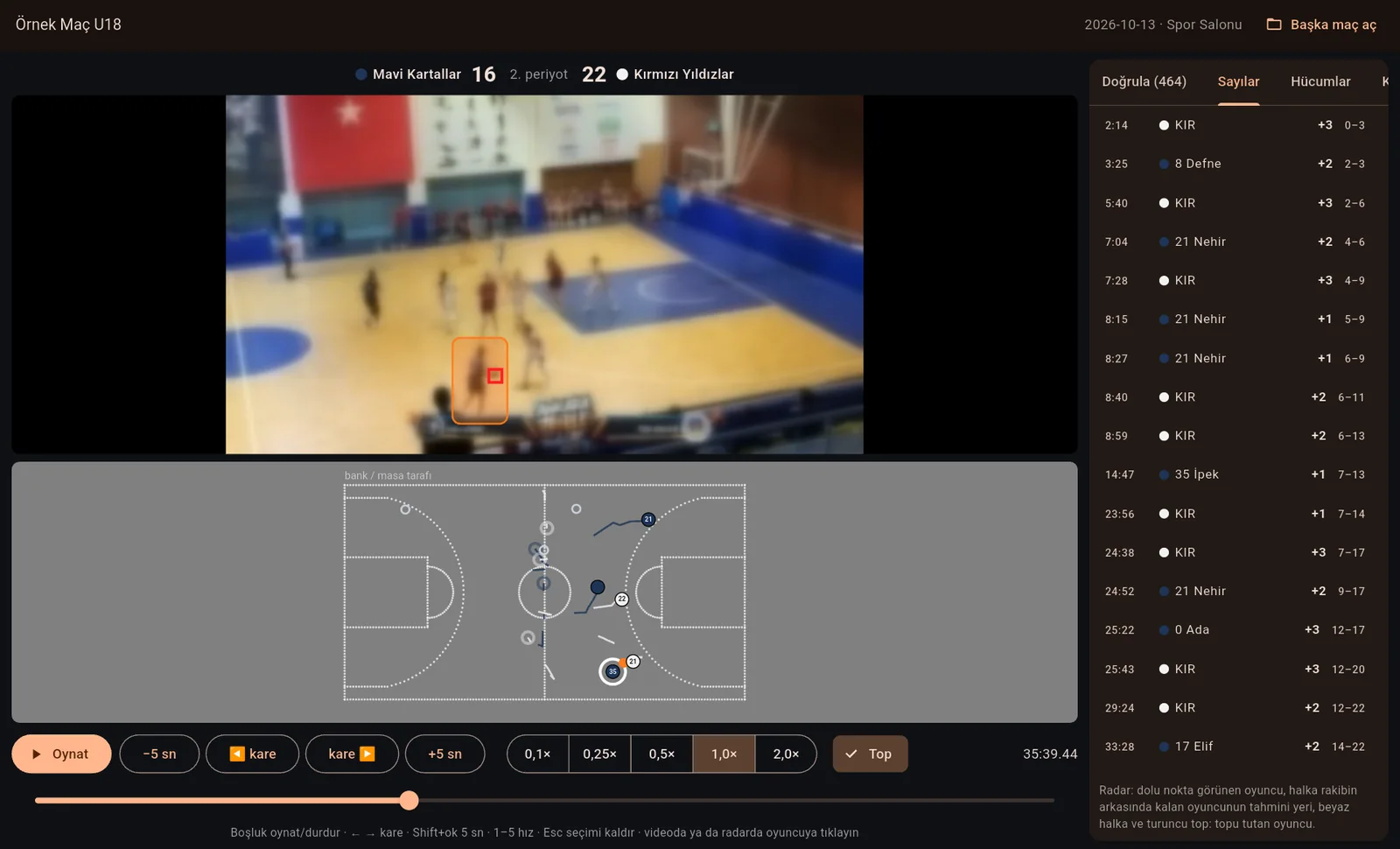
Court’s review screen (Turkish interface): game video at the top, a bird’s-eye view of the same moment below, the scoring feed from Stats on the right. Tap a basket and the video jumps to it. Faces in the video are blurred; team and player names are examples.
Video ↔ statistics
Tap a number, open the moment
The Stats game file lines up with the video to the second. Tap a dot on the shot chart, a cell in the box score or a player, and that moment opens in the video.
Back to back
Every similar moment in one list
All of a player’s shots, all turnovers in a quarter, every basket the opponent scored: the list is built and the moments play back to back.
Bird’s-eye view
See the court from above
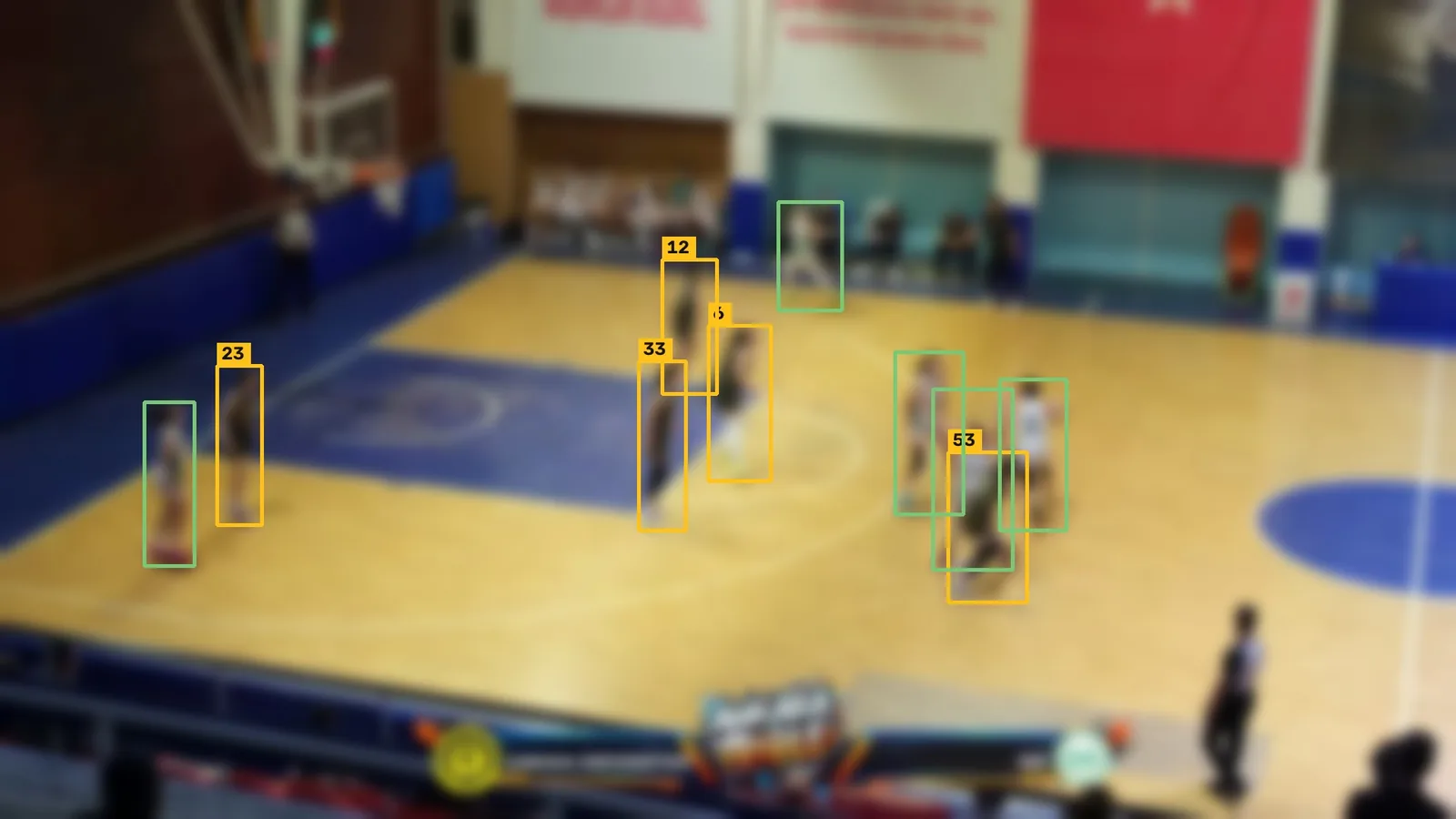
Players in the video are placed at their spots on the court with their jersey numbers. You watch your team’s shape, spacing and transition from above.
You decide
When unsure, it asks you
When Court cannot recognise a player, it does not guess; it shows you the moment and asks. You answer with one key, and each answer makes the others easier.
Check list
Checks the Stats record against the video
After the game it lists where the record and the video disagree: a quarter end entered late, a basket on video that is missing from the record. You look at the video and correct the record.
Sharing
Clip lists and game packages
A clip list for each player. Video, score bar and statistics come together as a game package you open in a meeting or the locker room.
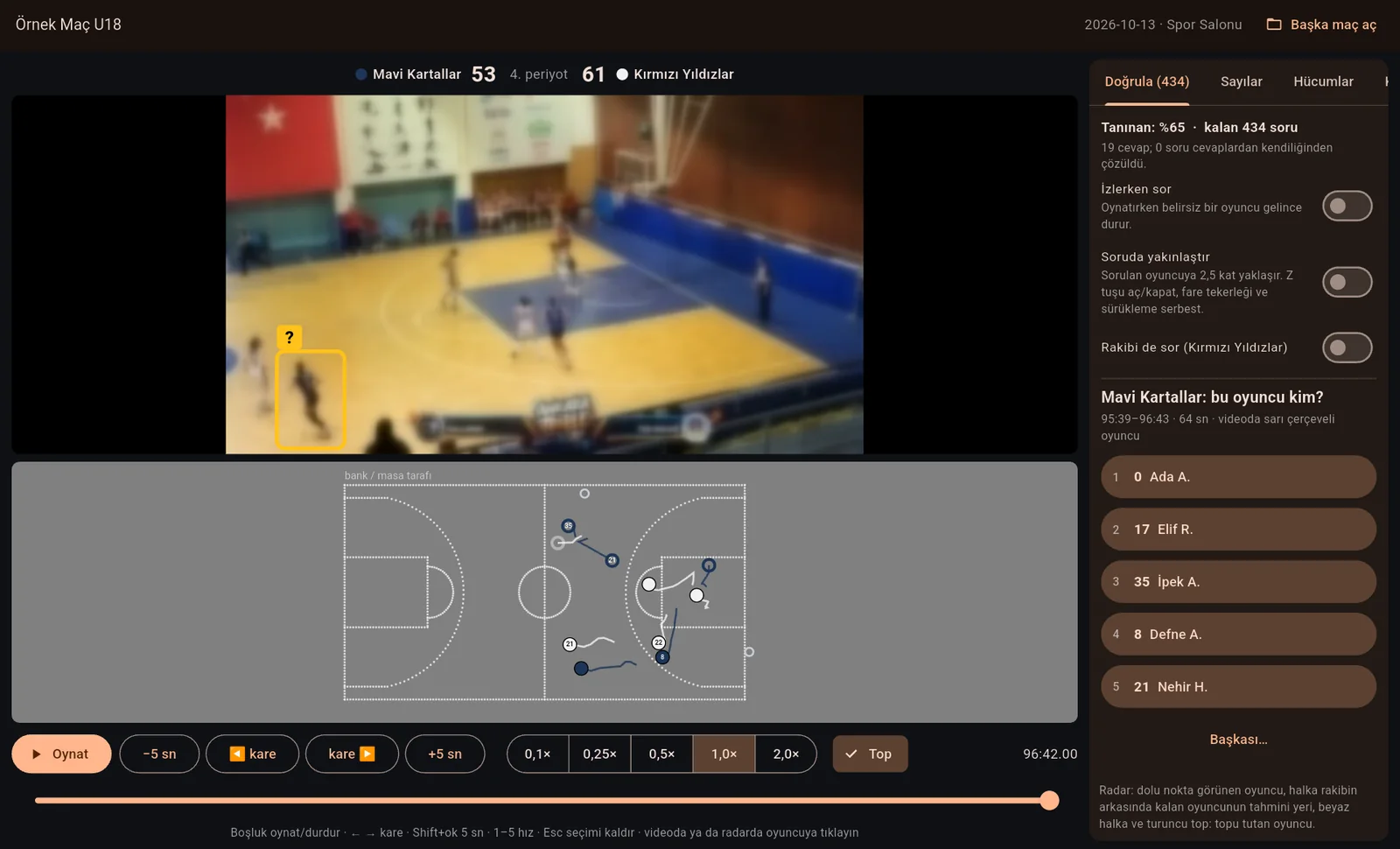
Confirm: Court marks a player it is unsure about with a yellow frame; you pick from the five players on court.
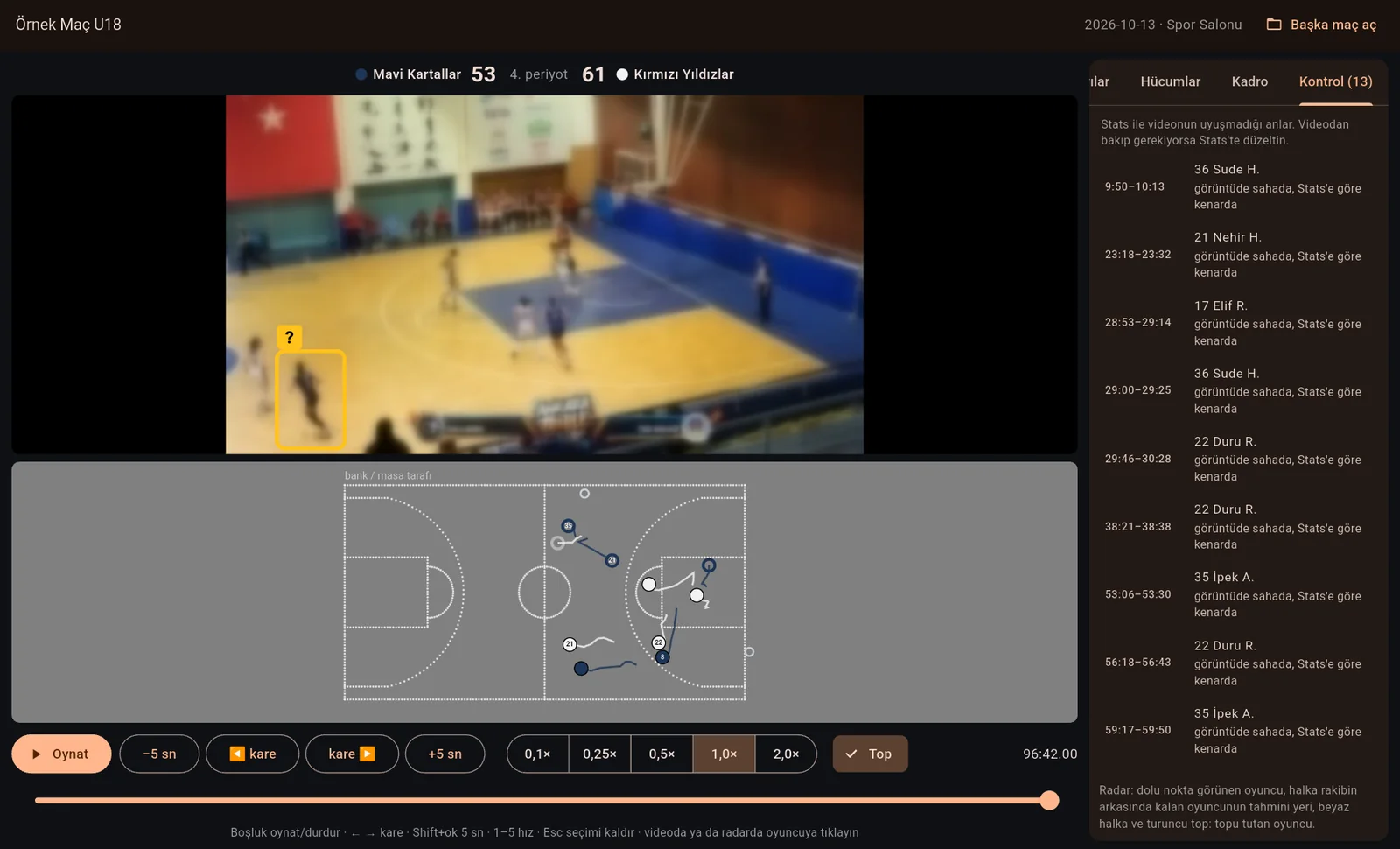
Check: moments where the Stats record and the video disagree; tap a row and look at the video.
From game to analysis
The game is over and the video is on the card. Four steps to go.
- 1 · Record the game in Stats. As usual; Court adds no work at the table.
- 2 · Film the game from the stands. One camera that sees the court is enough.
- 3 · Press “Process game” in Court. Choose the video and the Stats game file, enter the team names and colours. Processing runs in the background.
- 4 · Watch and prepare. Answer the few moments you are asked about, build your clip lists and share the game package with your players.
On the coach’s side
Court does the tedious work. You make the calls.
Court is not here to replace coaches but to give them time back: it prepares, you decide.
Head coach
Sees the key moments of the game, together with the possessions behind the numbers, in minutes.
Assistant coach and analyst
Scrubbing, cutting and counting happen in Court; time goes to interpretation, player feedback and practice planning.
Player
Watches the clips the coach prepared for them and sees what went right and wrong in pictures, not just numbers.
Game video and game data stay on your club’s computer; they are not sent to us.
Planned
Sets are coming to the same desk.
These are being worked on; we are not giving dates.
Set drawing and animation
Draw your set frame by frame on the court and play it back. Cut, screen and pass lines appear by themselves.
Set report card
“How many times did we run this set, how many points did it bring? Let’s watch them all back to back.” The drawn set, game data and video in one place.
Team viewing
At practice or in the locker room, the set animation and the real clips one after another, on a tablet or a screen.
More than one camera
One camera is the starting point. A second and third camera open up hidden corners and overlapping players.
Get notified
Be the first to hear when Court is out.
Court is being tested with real games. Leave your name, club and e-mail address and we will write to you when it is ready.
For statistics today, use TRPL-D Stats; Court will work with the games you record in Stats.